THE DEEPSIRE APP
Give your photos a voice.
Create a digital avatar with a photo and your voice. Bring it to your Sight frame with the same DeepSire account.
Start with the app
Android only. If an in-app browser blocks the download, open this page in your browser.
Open APK downloadIn WeChat, use the menu at the top right to open this page in your browser and download.

One account. Automatically in sync.
Create in DeepSire
From a photo to a presence.
Make it yours
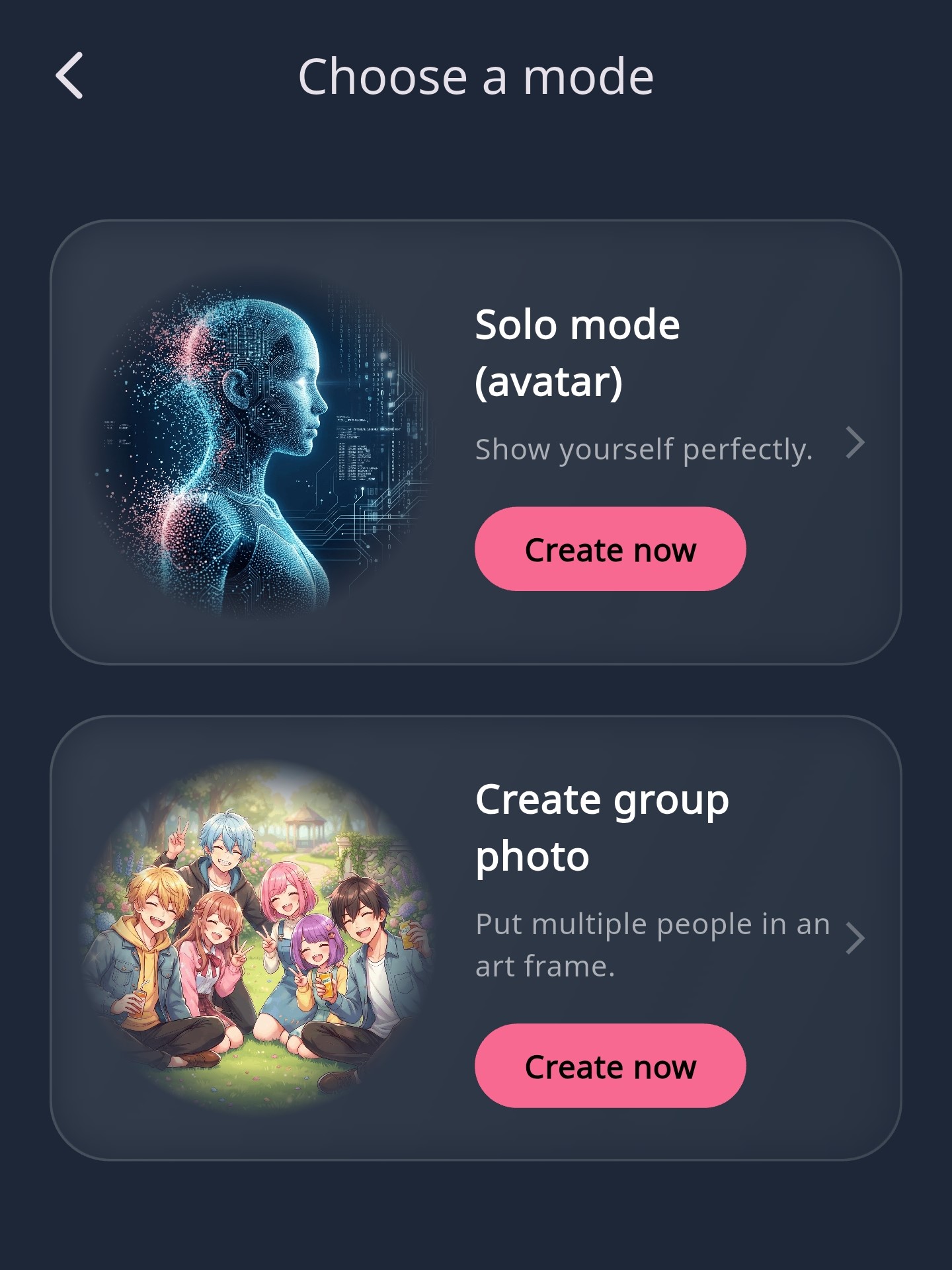
Choose Solo mode or a group photo, then complete the basic settings.
Add a face. And a voice.
Upload a suitable photo, record or upload audio, and wait for your avatar to generate.
Meet on your frame
Sign in to the same account on your frame. Your completed avatars sync automatically.
Your next step.
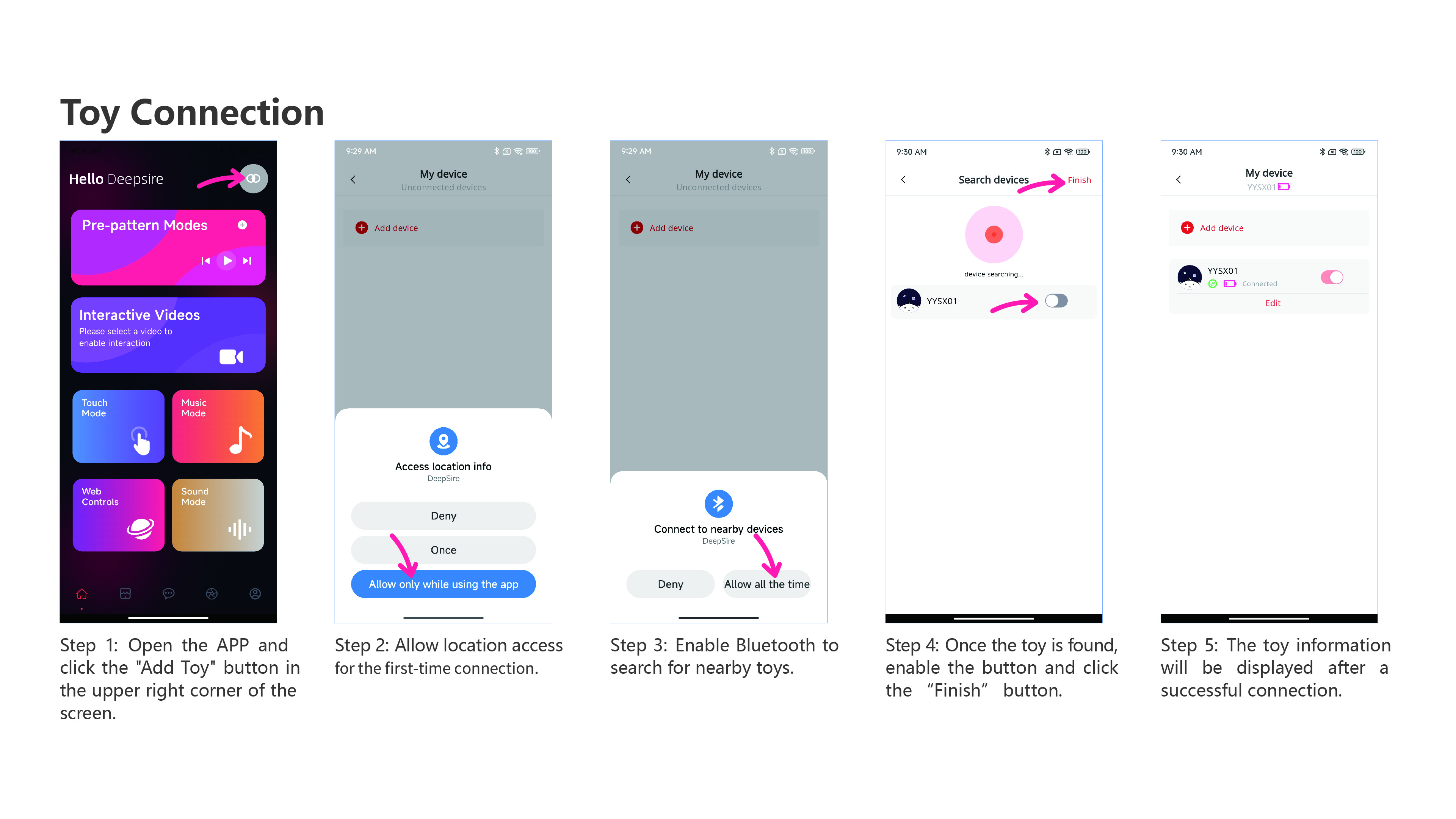
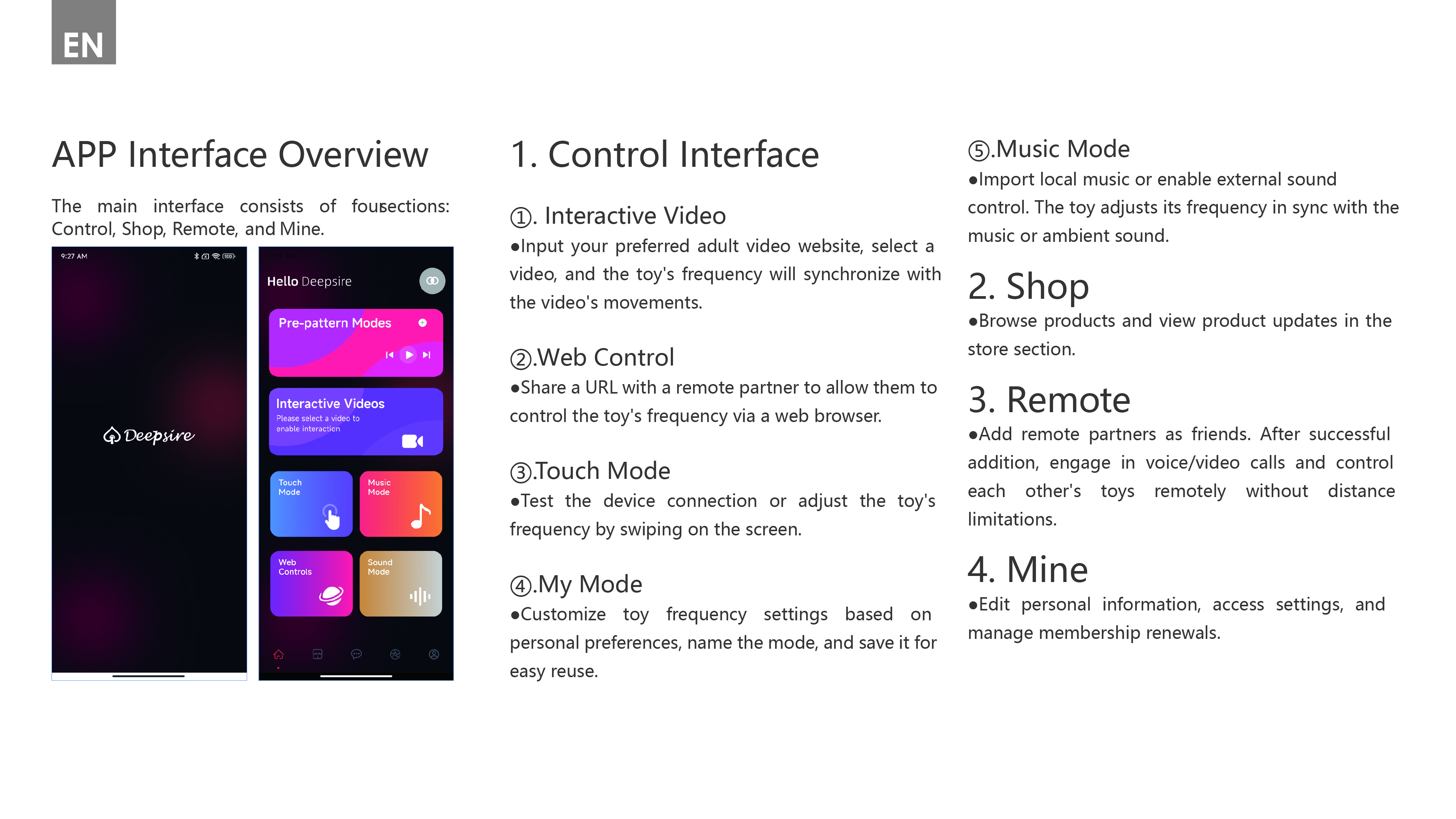
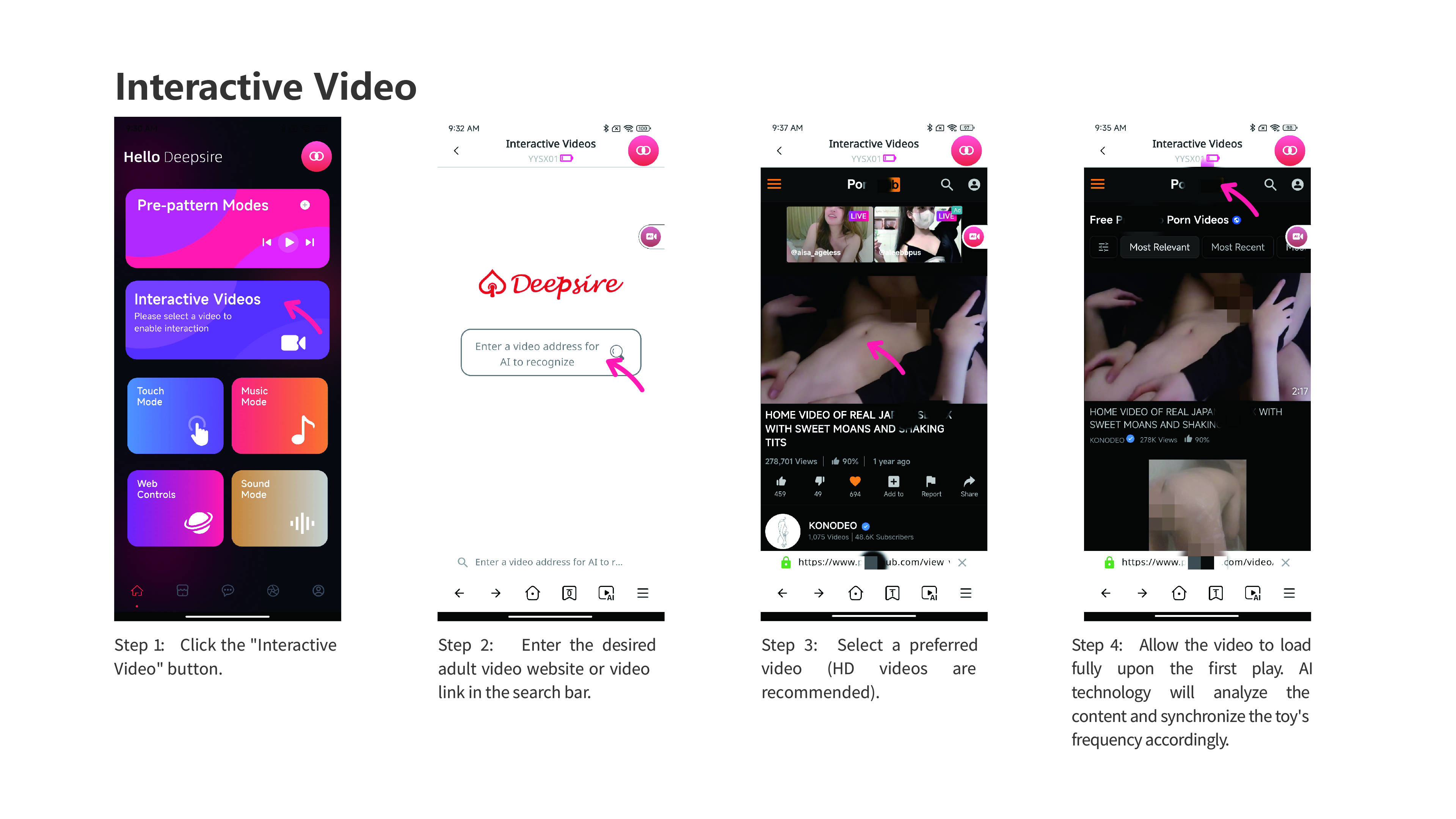
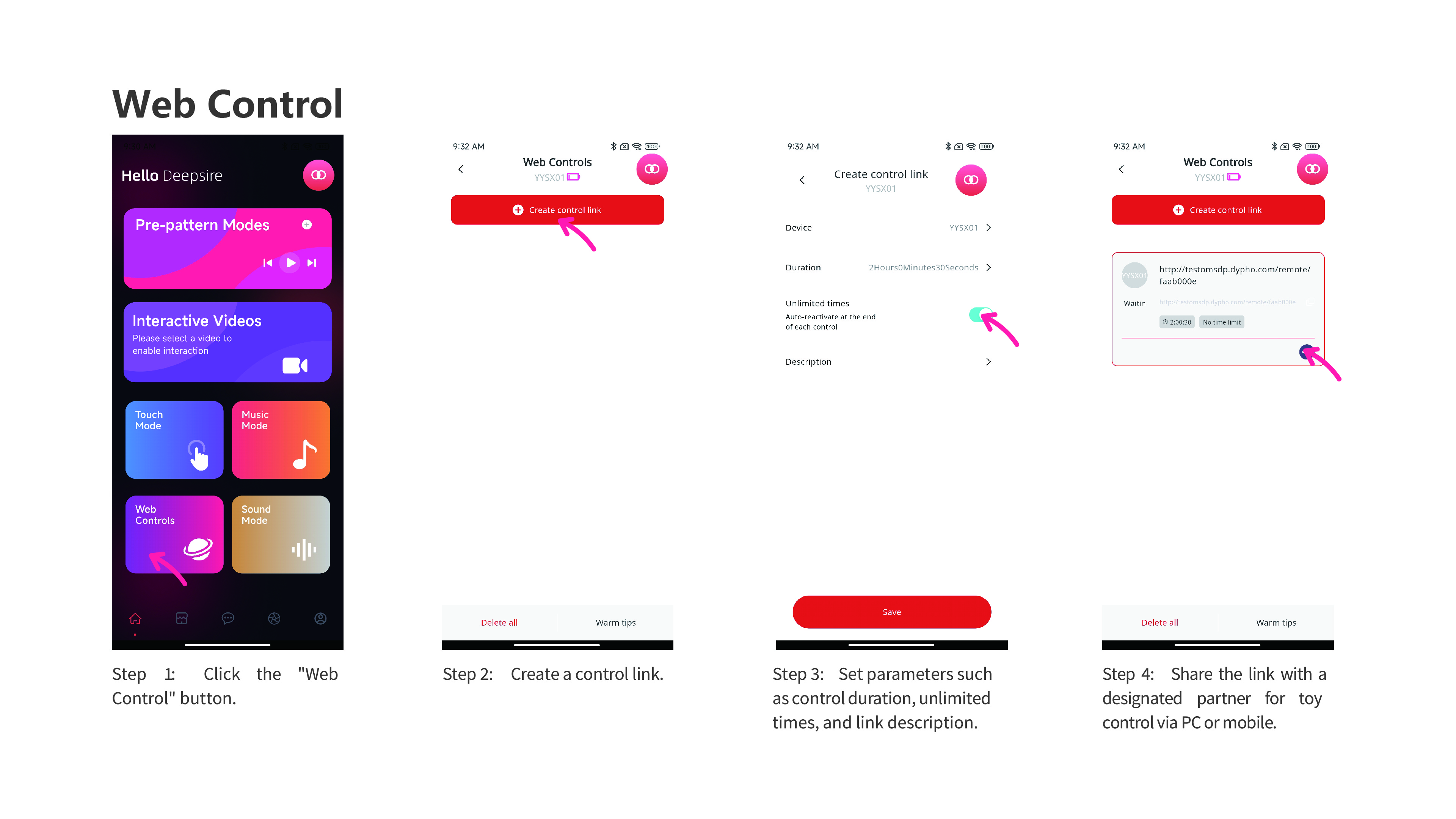
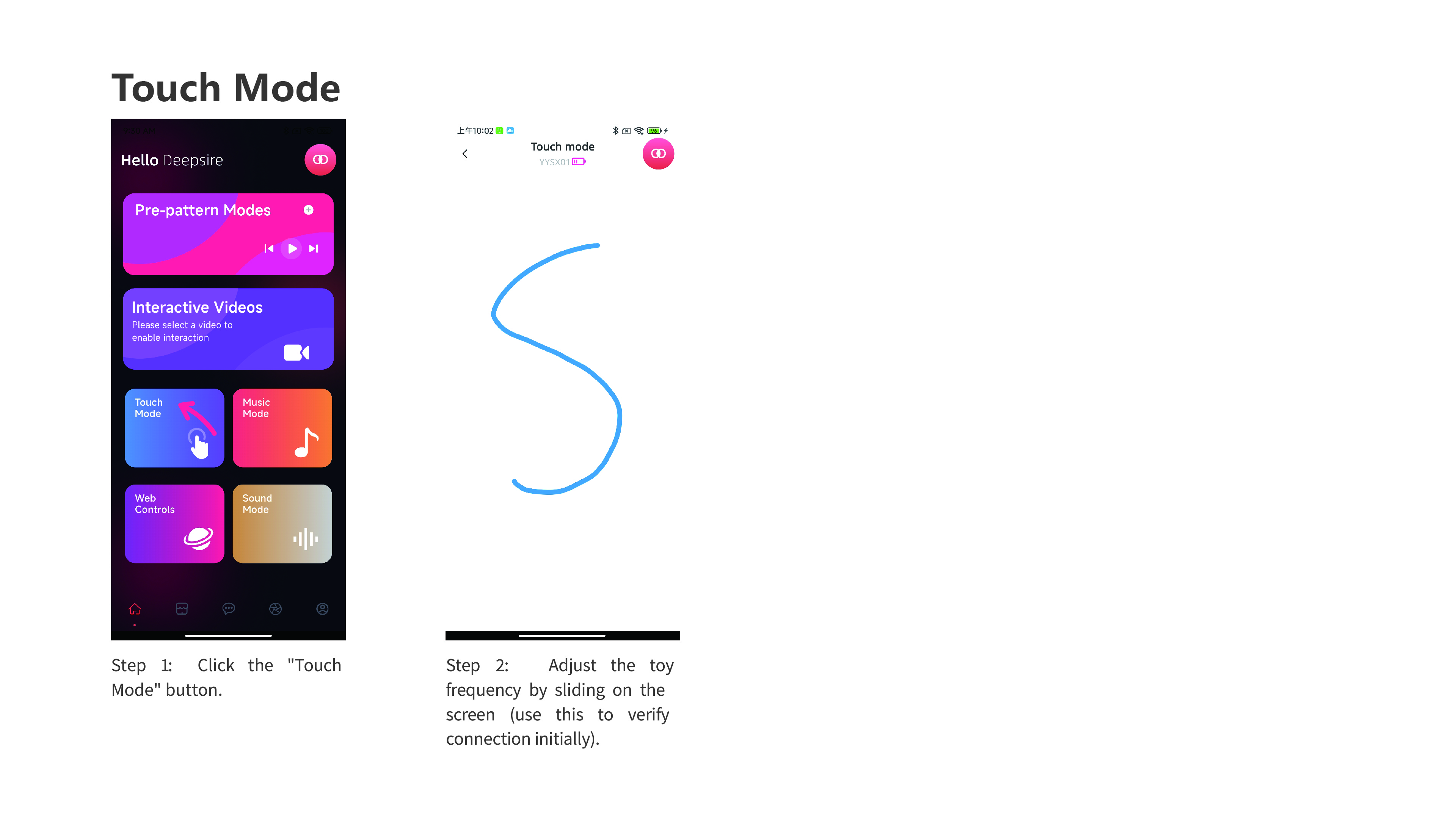
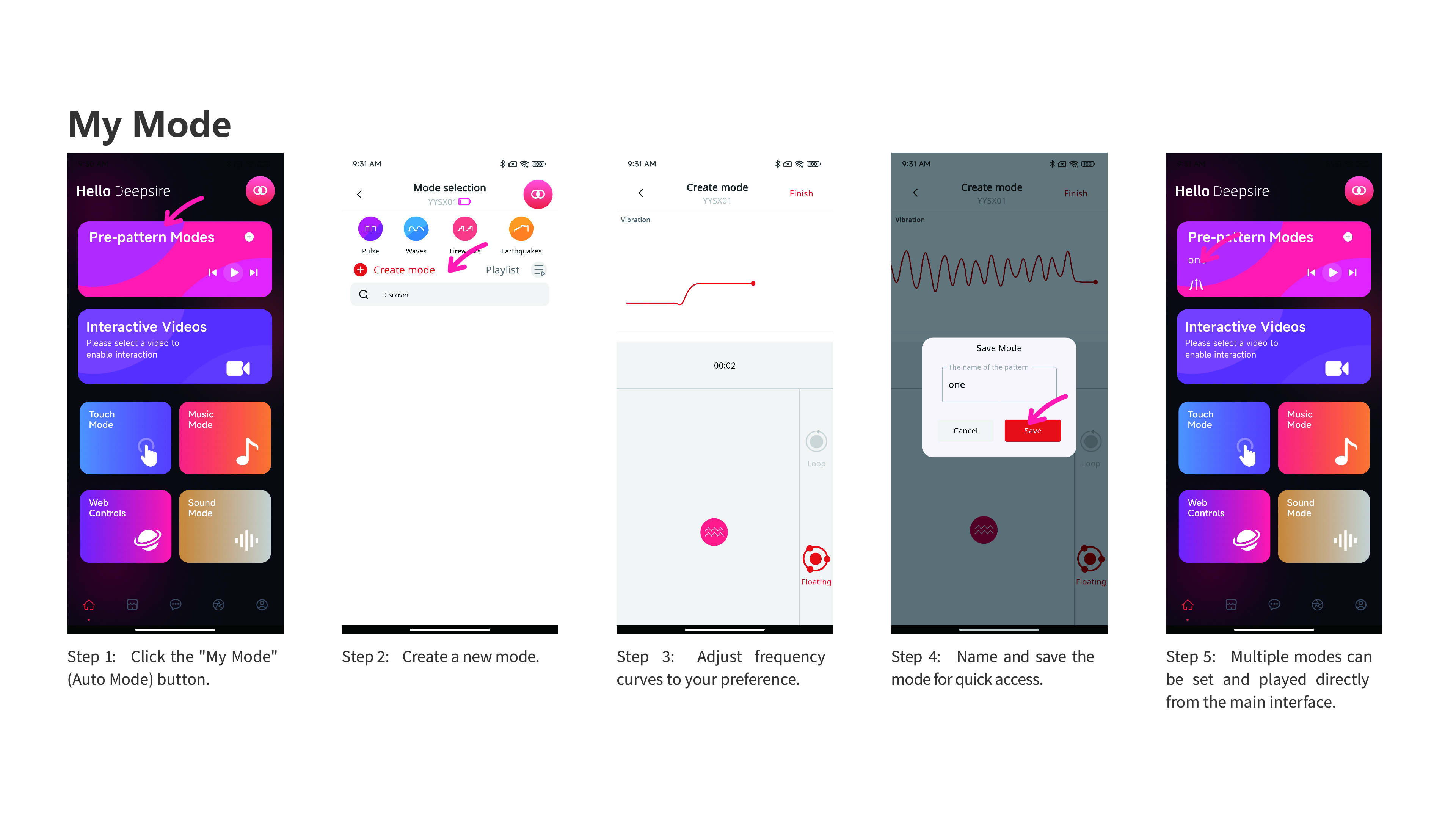
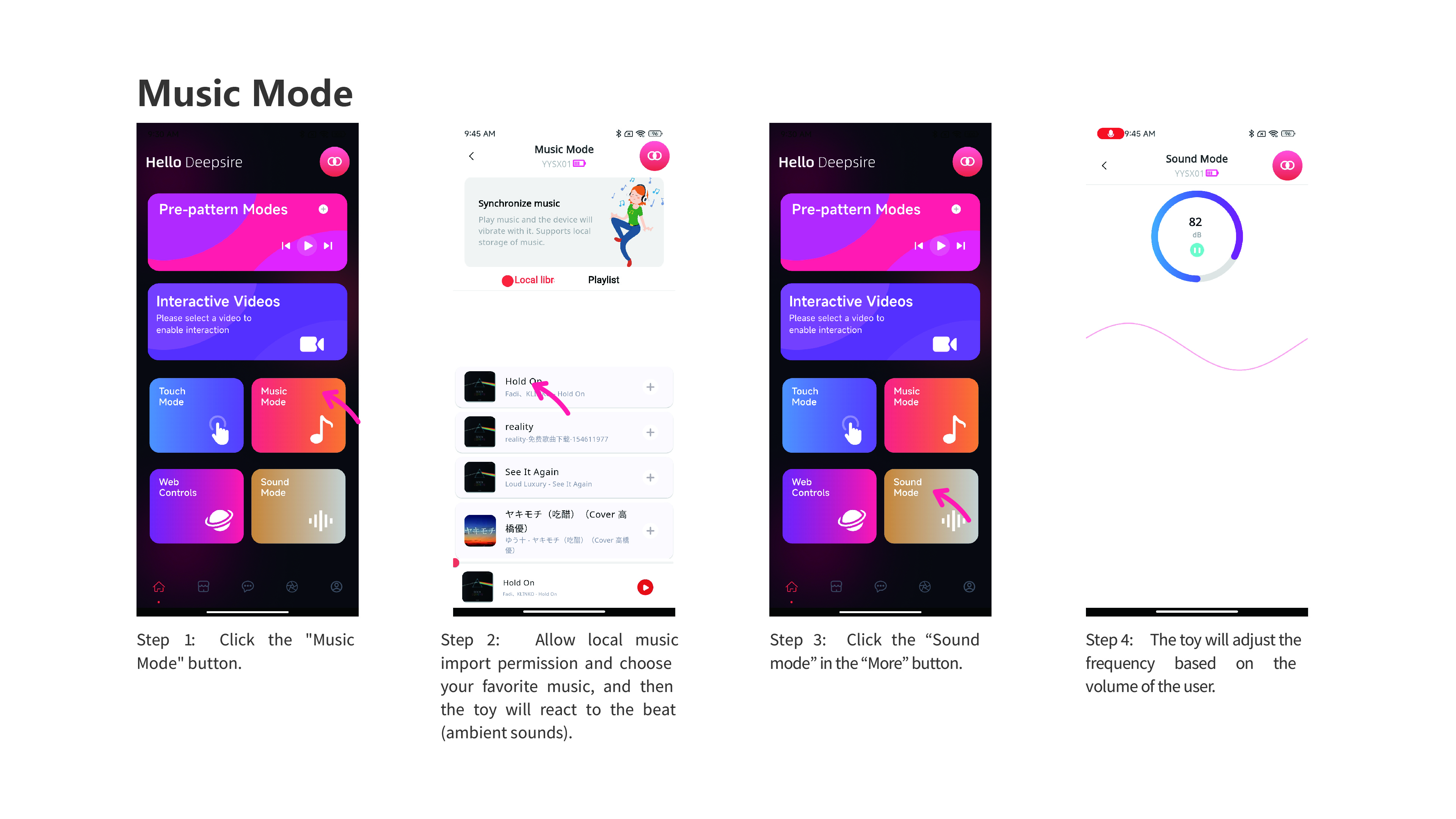
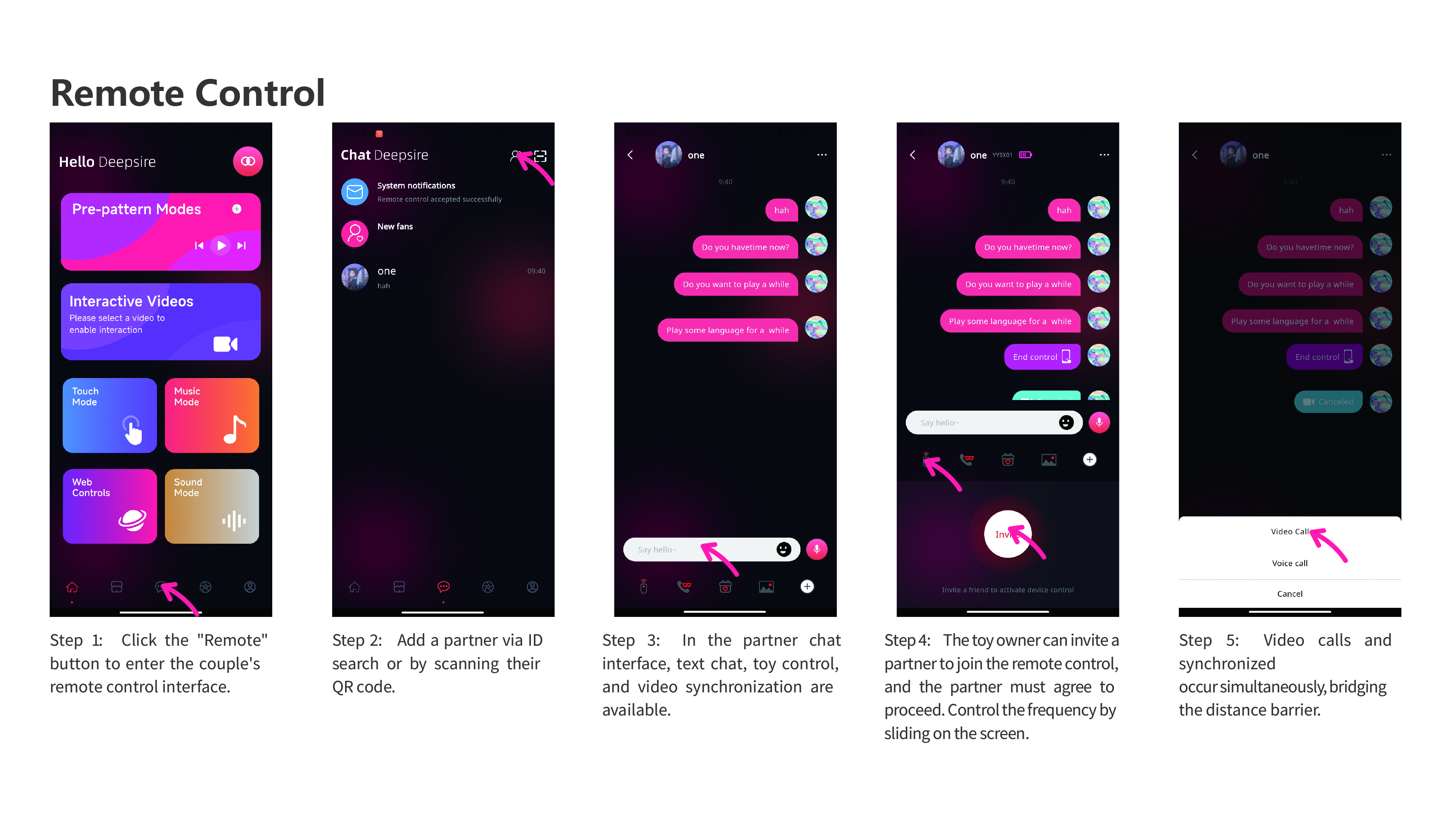
Other device instructions
Image guides for other DeepSire devices. The original screenshots are in English.